
机构用户如何使用媒体库?(品牌数字资产“变现”指南)
设计宇宙大数据研究中心 ,发布时间2025-10-25 20:13:00





/
版权声明:本链接内容均系版权方发布,版权属于 设计宇宙大数据研究中心,编辑版本版权属于设计宇宙designverse,未经授权许可不得复制转载此链接内容。欢迎转发此链接。
自主上传媒体报道链接的共有如下三个操作路径:
There are three operation paths for self-uploading media coverage links as follows:
路径一:
(仅为单一项目添加的媒体报道🔗)
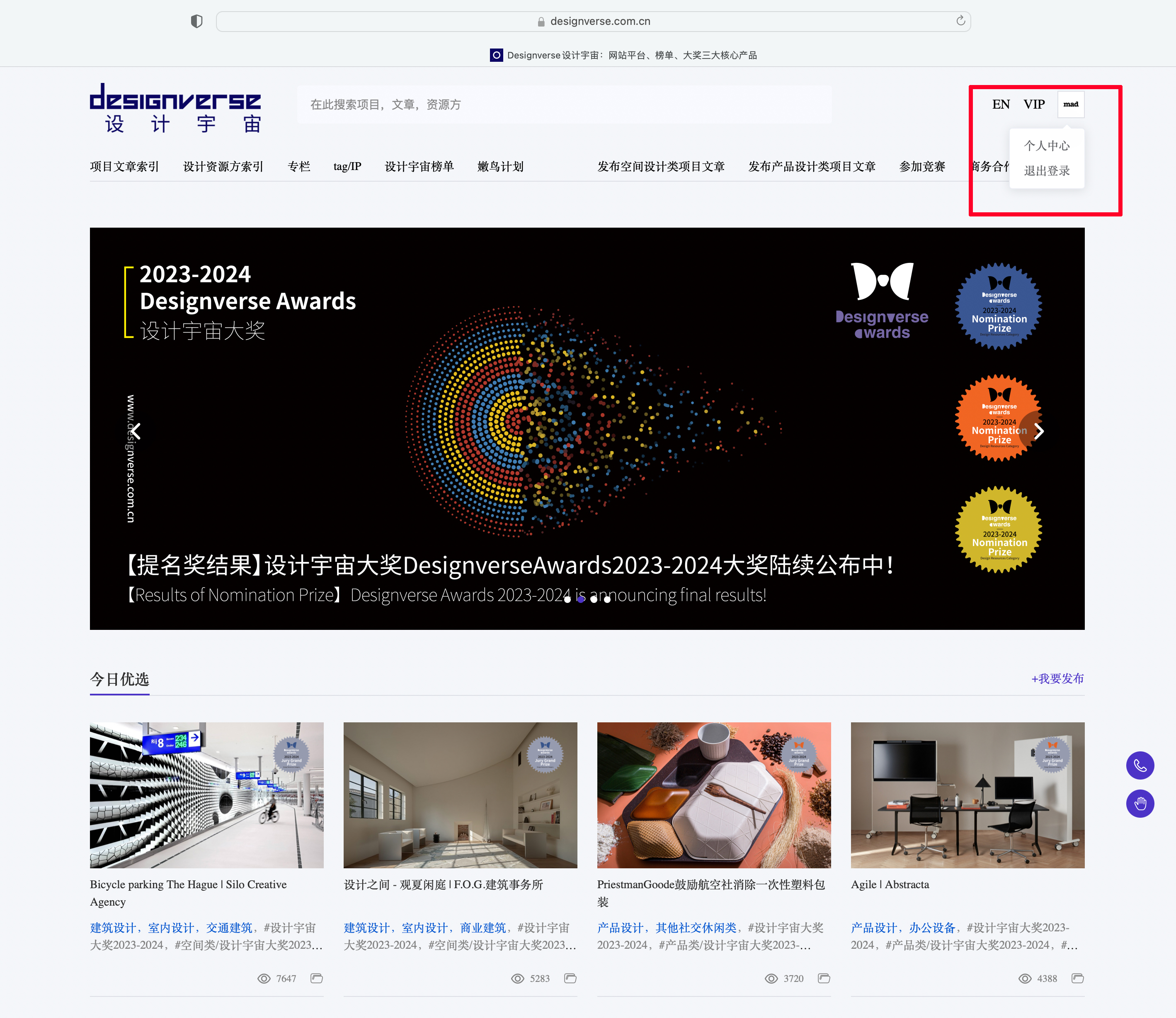
Step 1:前往designverse设计宇宙官网(https://www.designverse.com.cn/),登录机构账号进入“个人中心”。
Step 1: Go to the designverse Design Universe official website (https://www.designverse.com.cn/), log in with your institutional account, and access the "Personal Center".
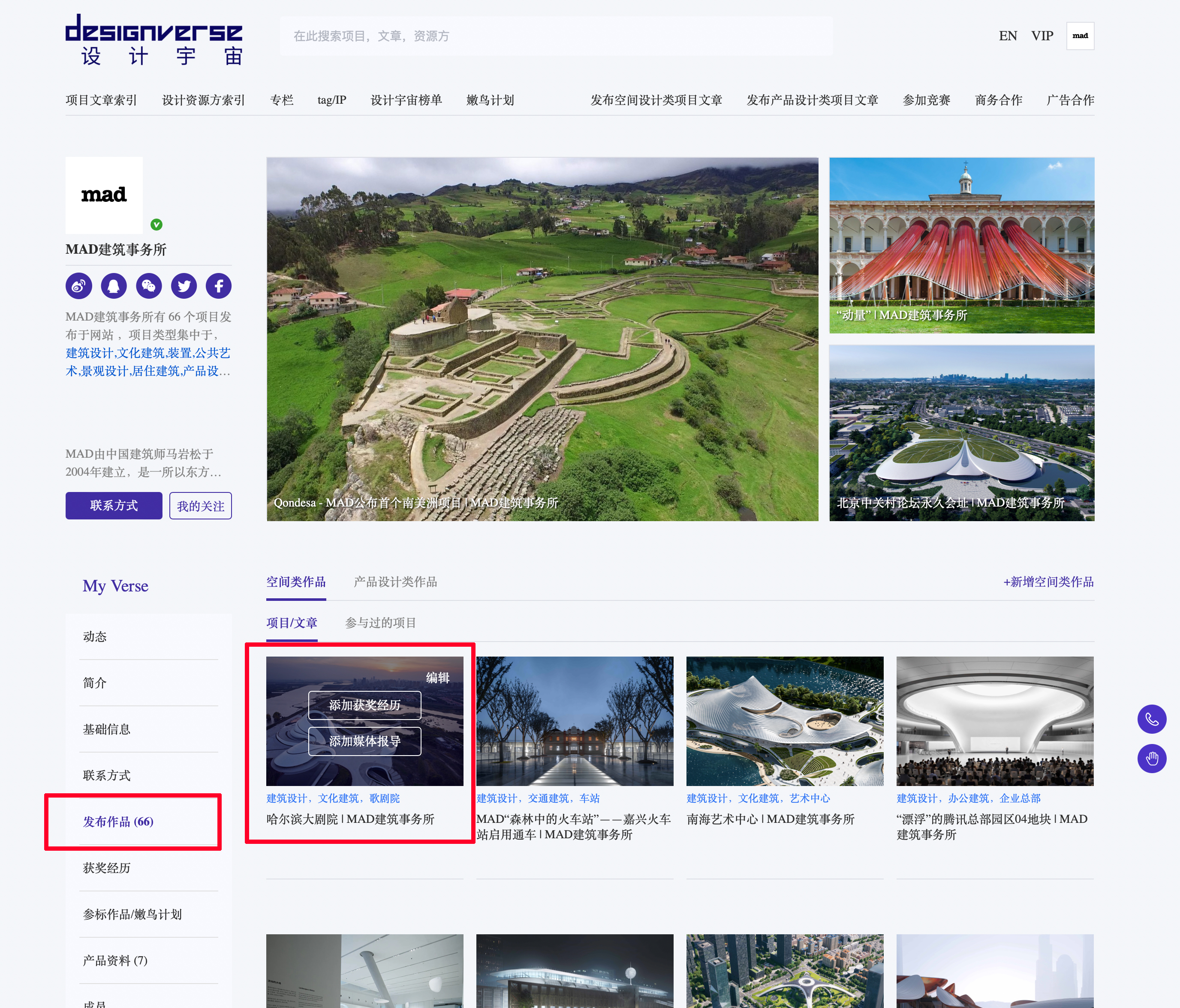
Step 2:在个人中心页面下滑,点击左侧选项栏中“发布作品”,将鼠标滑动至需要增加奖项的项目文章处,随后点击“添加媒体报道链接🔗”。
Step 2: Scroll down on the Personal Center page, click "Publish Works" in the left sidebar. Hover the mouse over the project article for which you need to add awards, then click "Add Media Coverage Link 🔗".
Step 3:
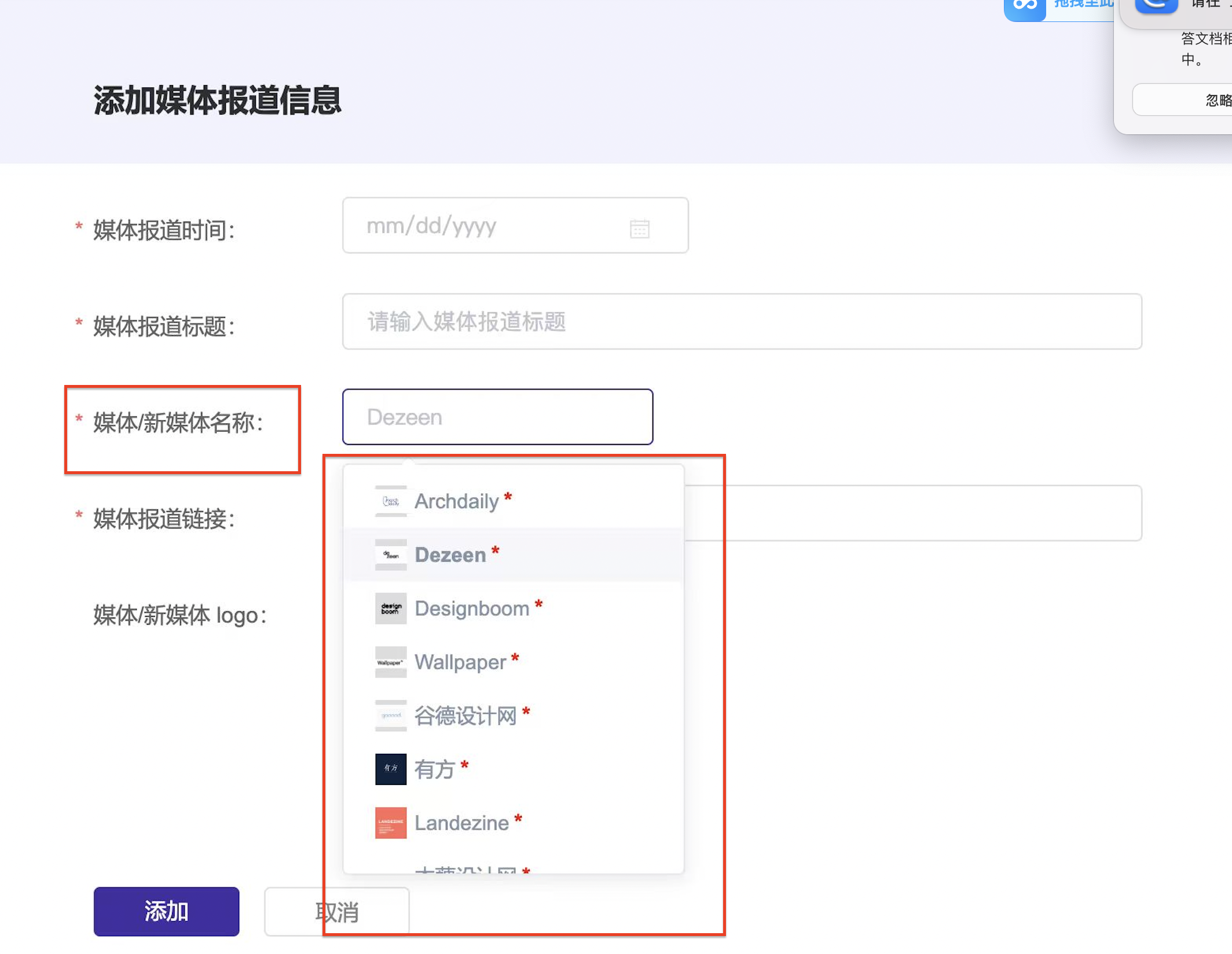
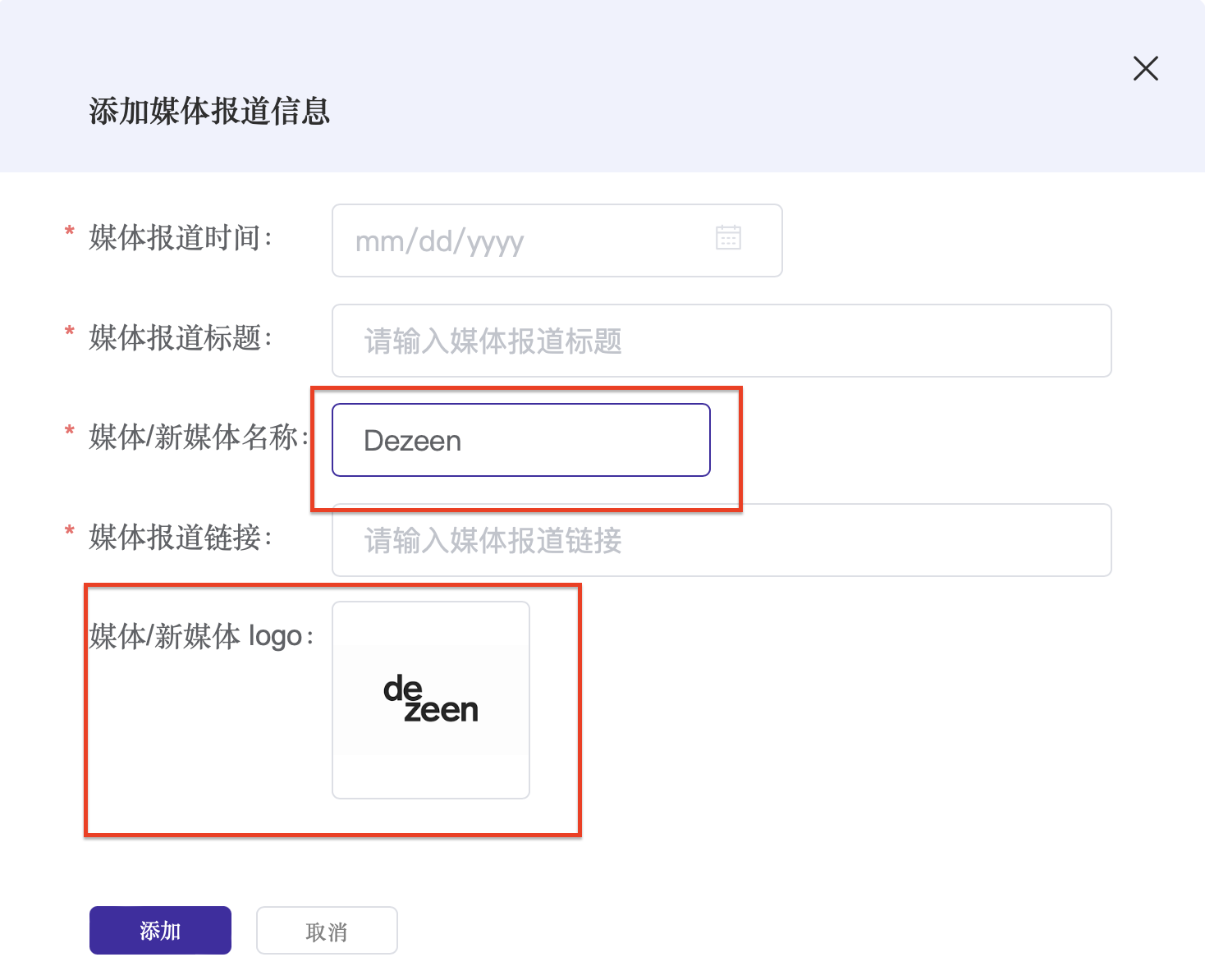
完成表格填写,“媒体/新媒体名称”一栏可搜索媒体/新媒体关键词,后尽量选择下拉选框中标“*”号的媒体/新媒体名称(已被收录设计宇宙媒体库),选择正确后会同步在“媒体/新媒体logo”位置自动出现头像,点击“提交”,后台审核后即可展示在机构主页/项目文章主页。
Step 3: Complete the form filling. For the "Media/New Media Name" field, you can search for media/new media keywords. Then, try to select the media/new media name marked with an asterisk (*) from the dropdown menu; these names have been included in the designverse Media Library. Once selected correctly, an avatar will automatically appear in the "Media/New Media Logo" section simultaneously. Click "Submit," and after review by the backend, it will be displayed on the organization's homepage/project article homepage.
路径二:
(仅添加项目奖项)
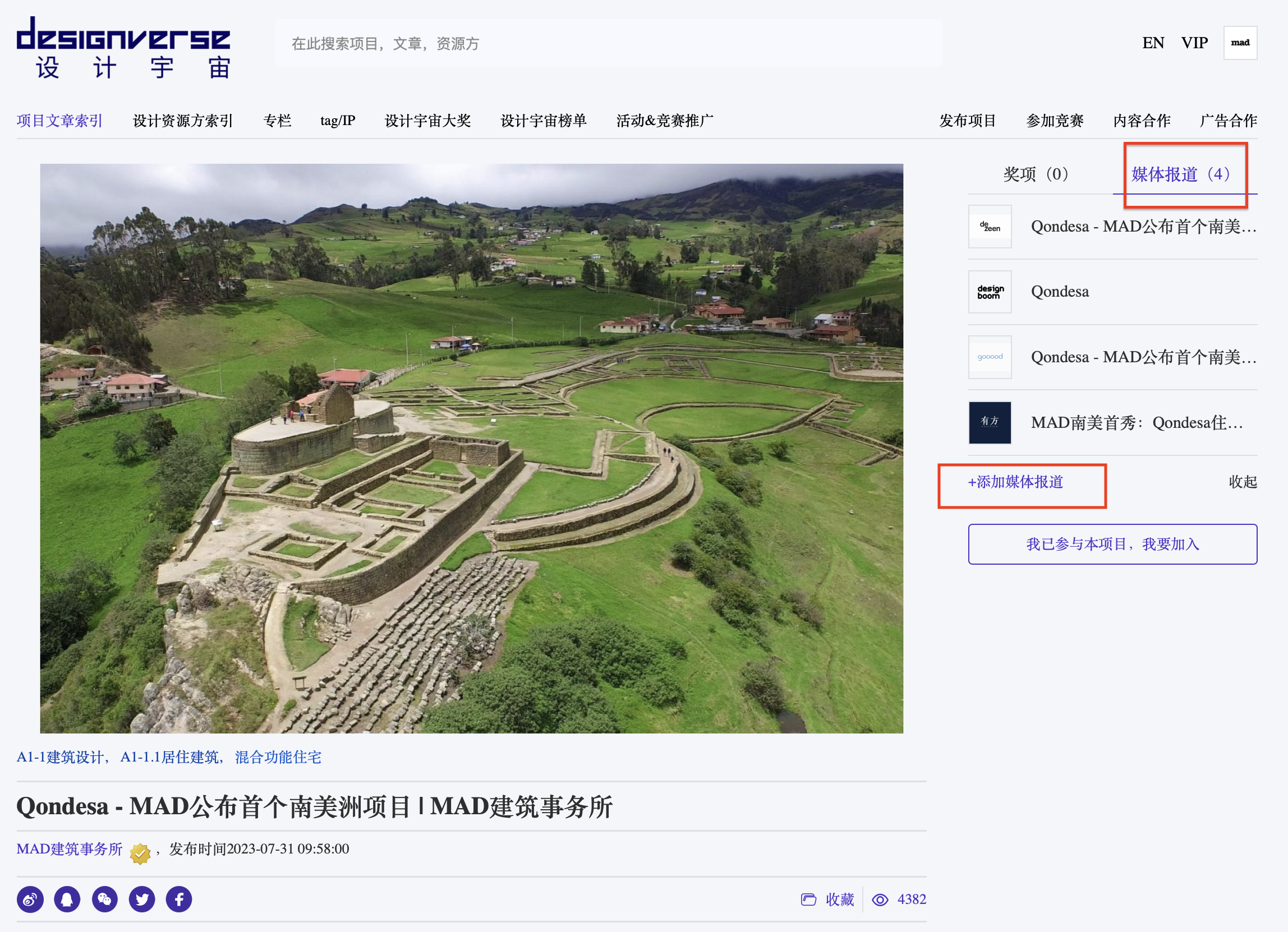
Step 1:登录机构账号,前往已发布的项目文章主页,点击右上角“添加媒体报道”。
Step 1: Log in with your institutional account, go to the homepage of the published project article, and click "Add Media Coverage" in the top-right corner."
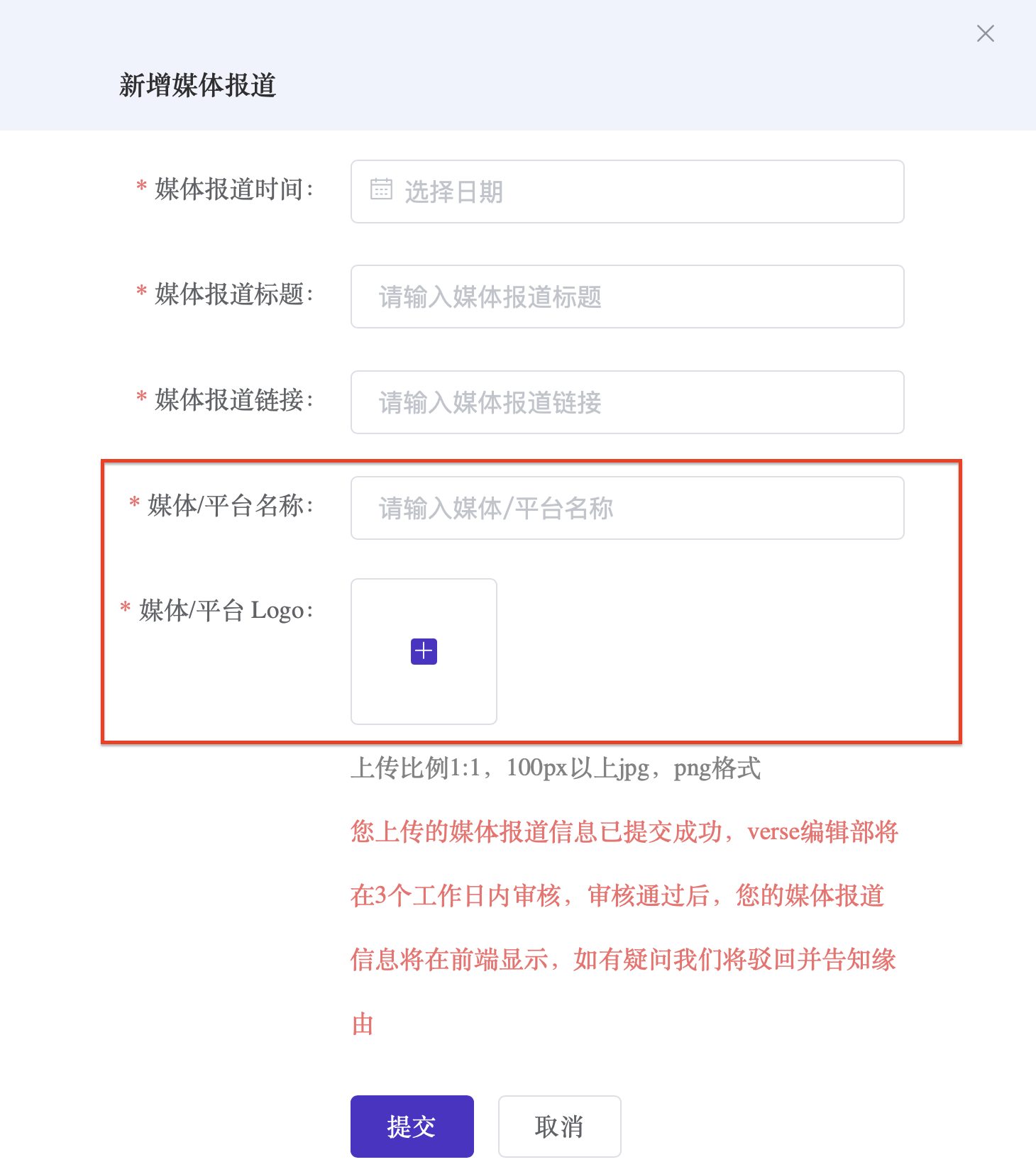
Step 2:完成表格填写,“媒体/新媒体名称”一栏可搜索媒体/新媒体关键词,后选择下拉选框中带“*”的平台已收入的媒体/新媒体名称,选择正确后会同步在“媒体/新媒体logo”位置自动出现头像,点击“提交”,后台审核后即可展示在机构主页/项目文章主页。
Step 2: Complete the form. The "Media/New Media Name" field allows searching by media/new media keywords; then select the platform-recognized media/new media names marked with an asterisk (*) from the dropdown menu. Once selected correctly, the corresponding avatar will automatically and simultaneously appear in the "Media/New Media Logo" field. Click "Submit" — after backend review, it will be displayed on the Institutional Homepage/Project Article Homepage.
路径三:
(为IP主页添加相关媒体报道链接🔗)
Path 1
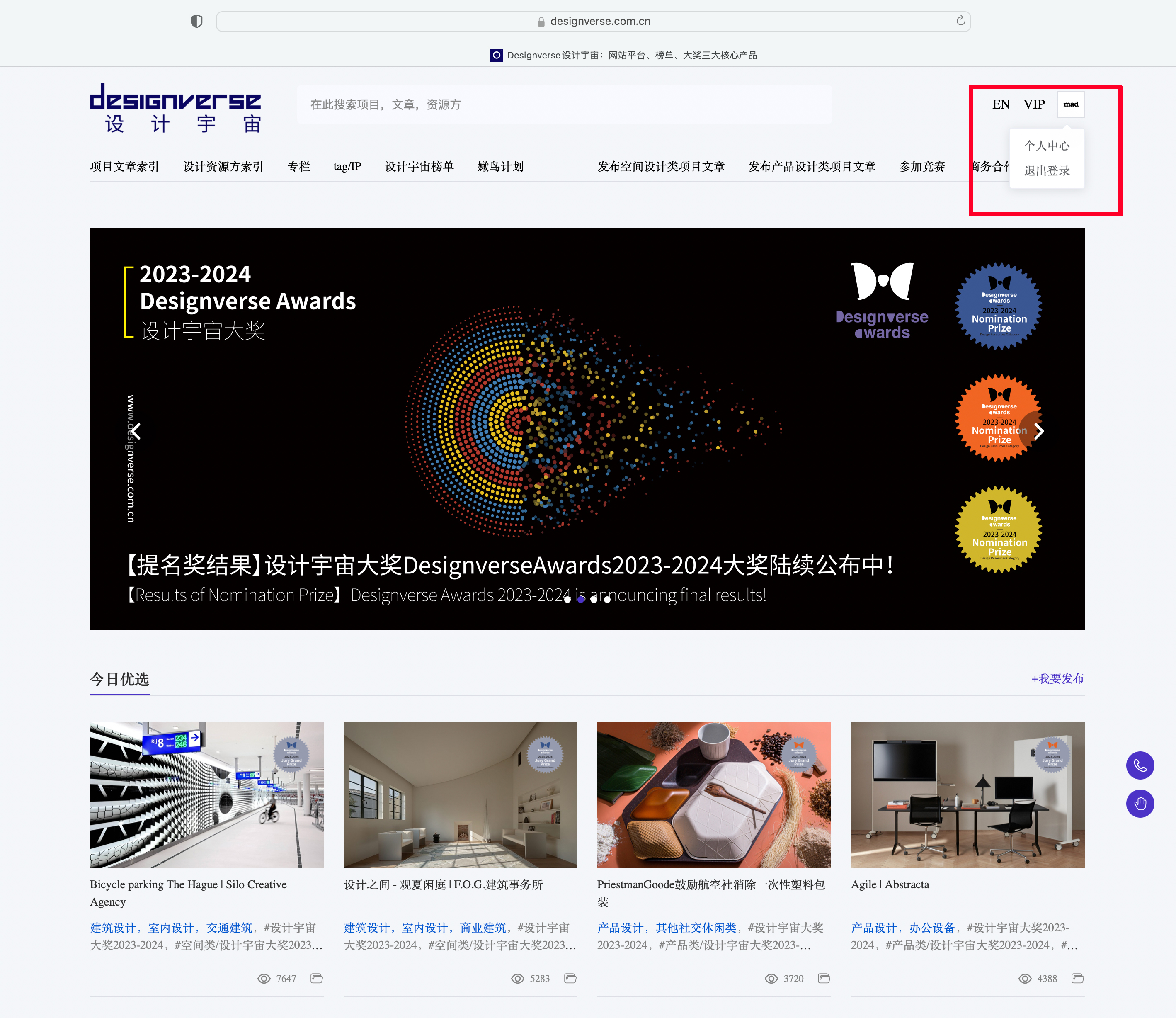
Step 1:前往designverse设计宇宙官网(https://www.designverse.com.cn/),登录机构账号进入“个人中心”。
Step 1: Go to the Designverse official website (https://www.designverse.com.cn/), log in with your institutional account, and access the "Personal Center".
Step 2:在导航栏点击,“tag/IP”,随后在展开页面选择您感兴趣的IP主题,如选择继续点击“张江之尚”。
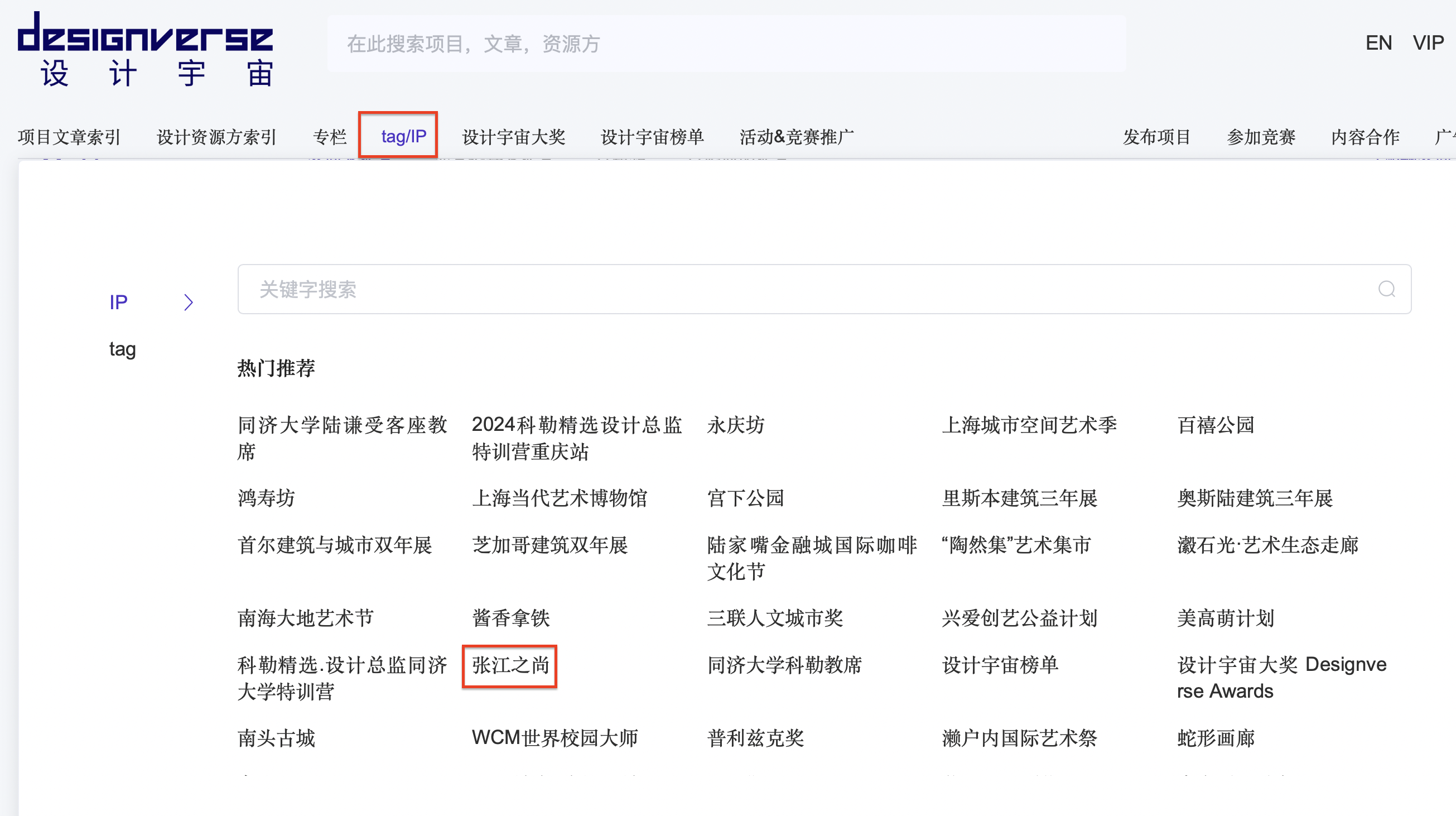
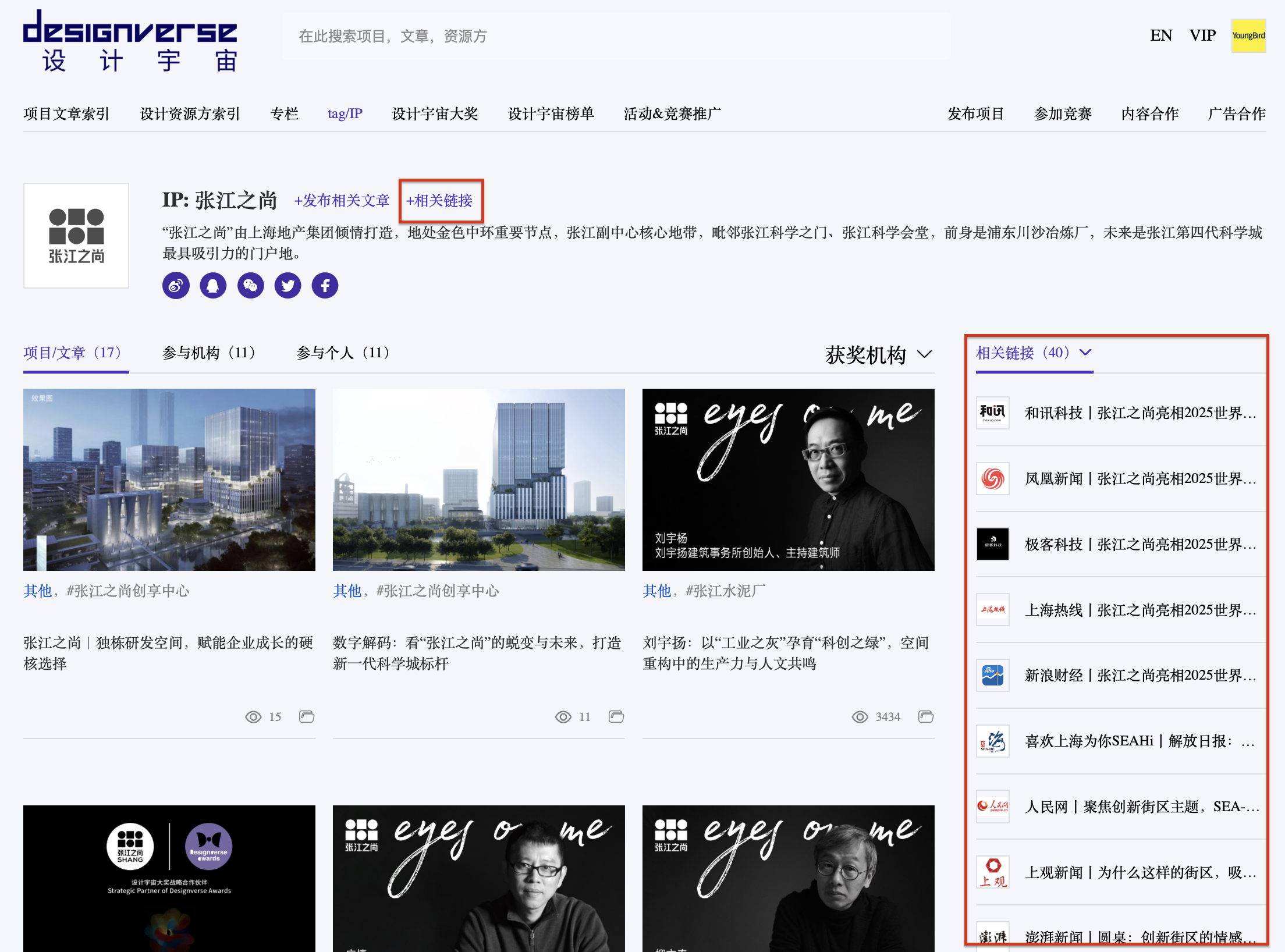
Step 3:点击在IP 名称右侧“+相关链接”点击需要增加媒体报道链接信息。添加成功的信息将自动出现在该IP主页右侧 相关链接,与IP主题有关的媒体报道能够通过平台审核,将成为完善IP的重要组成部分。
Step 3: Click "+Related Links" on the right side of the IP name to add media coverage link information. The successfully added information will automatically appear in the "Related Links" section on the right side of the IP's homepage. Media coverage related to the IP theme that passes the platform review will become an important part of IP improvement."
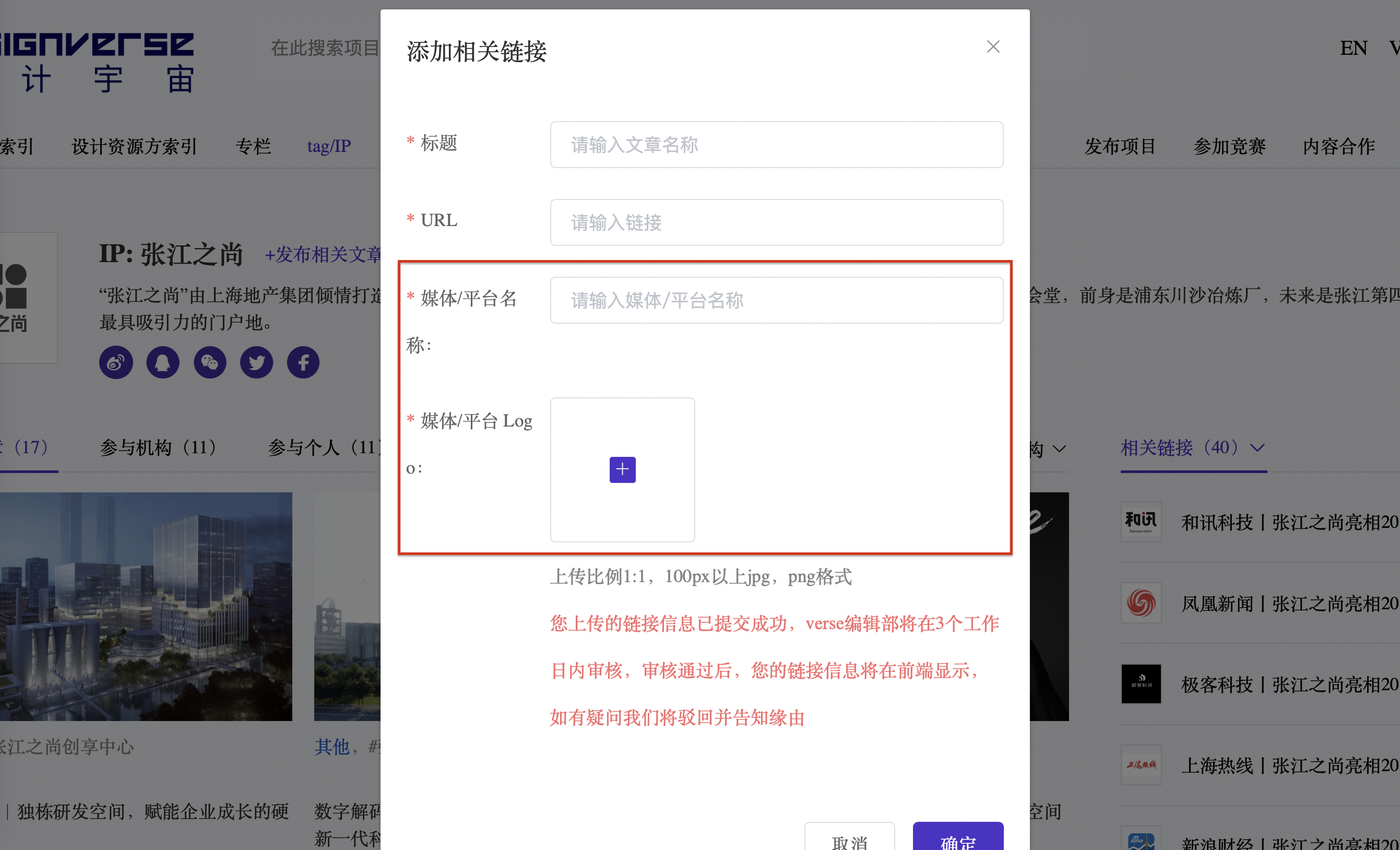
Step 4:在“媒体/新媒体名称”位置选择新媒体/媒体名称,需要有限选择下拉选框中带“*”的官方认可新媒体/媒体名称,选择正确后在 “媒体/新媒体Logo”位置会自动出现该新媒体/媒体头像,点击“提交”,经后台审核后即可展示在IP主页右侧。
Step 4: Select the New Media/Media name in the "Media/New Media Name" field. You need to prioritize selecting the officially recognized new media/media names marked with an asterisk (*) in the dropdown menu. Once selected correctly, the corresponding avatar of the new media/media will automatically appear in the "Media/New Mieda Logo" field. Click "Submit" — after being reviewed by the backend, it will be displayed on the right side of the IP homepage."
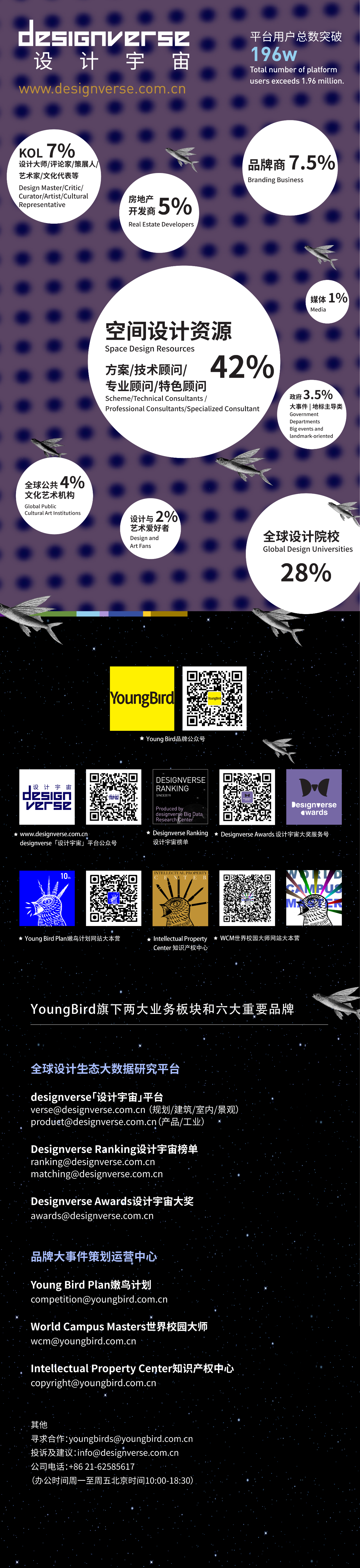
如想了解更多提升榜单排名方式/咨询合作,欢迎添加大奖微信号联系我们。

设计宇宙榜单规则3.0已公布,为各机构能够更好地提升设计宇宙榜单排名,平台已推出自主上传媒体报导链接功能,机构可以通过自主上传媒体/新媒体已发布报导链接🔗,经过审核后获得对应附加分值(分值将体现在下一个双月的榜单中),从而提升榜单排名,同时通过共建实现机构/品牌数字资产的正向积累。
Design Universe Ranking Rules 3.0 has been released. To help institutions better improve their rankings on the Design Universe Ranking, the platform has launched a self-service media coverage link upload function. Institutions can upload links to published coverage on media/new media by themselves 🔗; after review and approval, they will receive corresponding additional points (these points will be reflected in the next bimonthly ranking), thereby improving their ranking positions. At the same time, through joint development, this helps achieve positive accumulation of institutional/brand digital assets.
榜单规则3.0请查询:https://mp.weixin.qq.com/s/UFVrNehN_Y3BhYBAa8y-NA


Luka Cvitan出任Designverse Awards设计宇宙大奖2026-2027景观类终审评委

Antonia Cvitan Vuletić出任Designverse Awards设计宇宙大奖2026-2027景观类终审评委

Shushana Khachatrian出任Designverse Awards设计宇宙大奖2026-2027室内类终审评委

【年鉴2025-2026】设计宇宙大奖Designverse Awards!
空间类_分类及细分类别详解(建筑/景观/室内/技术顾问/专业顾问/特色顾问)丨Designverse Awards设计宇宙大奖
空间类-概念_分类及细分类别详解(建筑/景观/室内/技术顾问/专业顾问/特色顾问)丨Designverse Awards设计宇宙大奖

上海张庙文化活动中心 | 水石设计
朱家角游客服务中心

大湾区大学(滨海湾校区)总体规划竞赛方案 | weico建筑事务所

订阅我们的资讯
切勿错过全球大设计产业链大事件和重要设计资源公司和新产品的推荐
联系我们
举报
返回顶部